Campaigns · Automations · Audience · Deliverability
Email marketing,
without the noise.
One calm place to design emails, grow an audience, automate the follow-up and read what actually happened. Every message leaves through your own verified domain on Amazon SES, with the reporting to prove it landed.
01 / Design
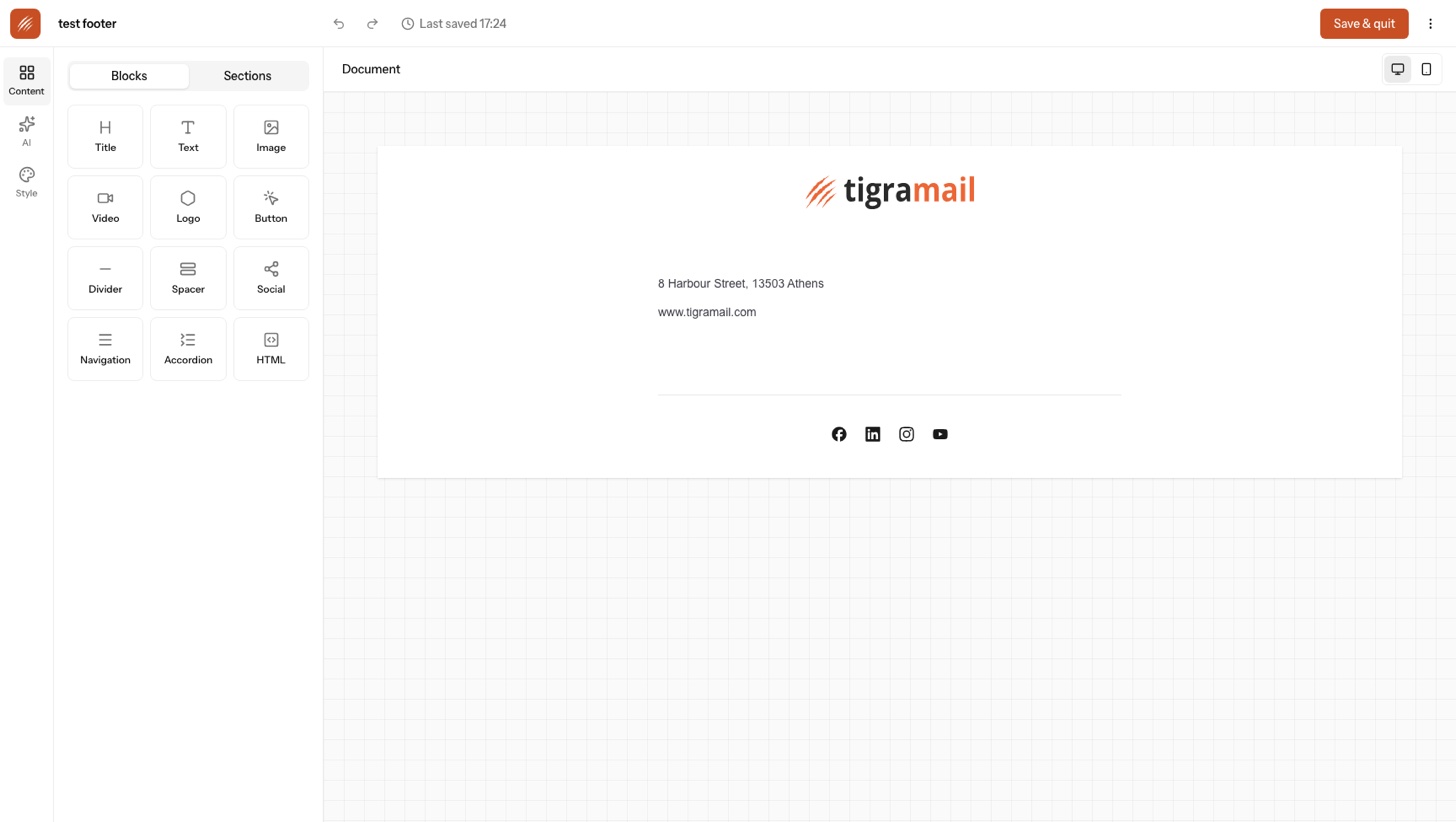
Emails that look like your brand, built by dragging.
A drag-and-drop editor with the blocks you need and none you do not. Titles, text, images, video, buttons, dividers, social rows, navigation, accordions and raw HTML, laid out in one to four columns. Everything compiles to MJML, so it renders properly in the clients people actually use.
- a.Brand kit, detected for you. Point Tigramail at your website and it pulls logos, colours, fonts and social profiles.
- b.Three ways to write. Visual editor, a simple rich-text mode, or paste your own HTML.
- c.AI image and text studio. Generate or clean up images, search stock, rewrite copy, all inside the canvas.
- d.Templates and personalization. Save any design as a template. Merge in any contact attribute.
02 / Automate
Journeys you can read at a glance.
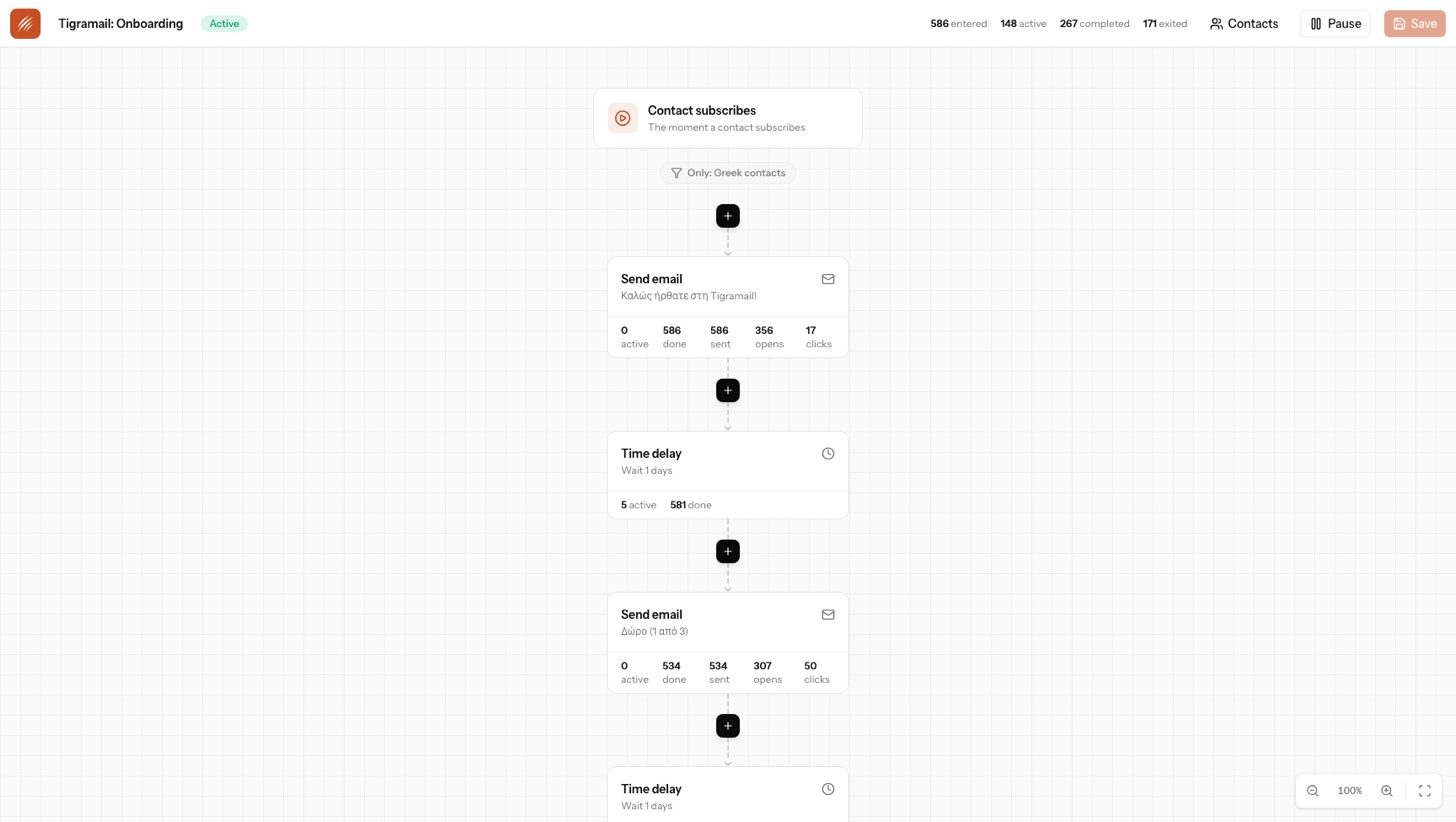
Pick a trigger, then stack the steps. The flow builder shows how many people are waiting at every node, how many finished, and how each email performed, so a journey is never a black box.
- Triggers
- Contact subscribes. Enters a segment. Reaches a date. Webhook from any system. Or added by hand.
- Steps
- Send email. Wait minutes to months. Branch on a condition. Update an attribute. Call a webhook. Unsubscribe. Halt.
03 / Measure
Reporting that tells you what happened, not what to feel.
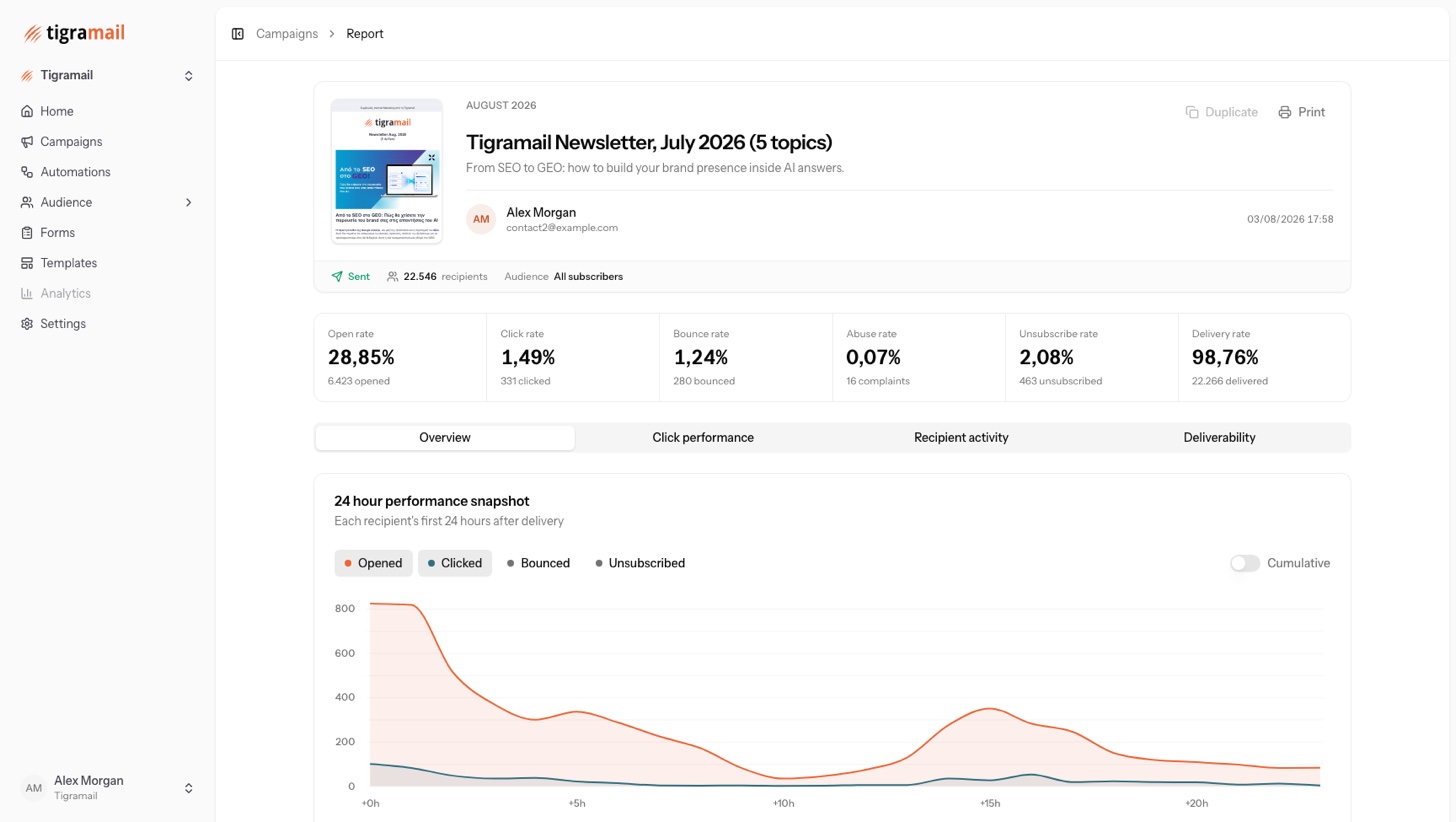
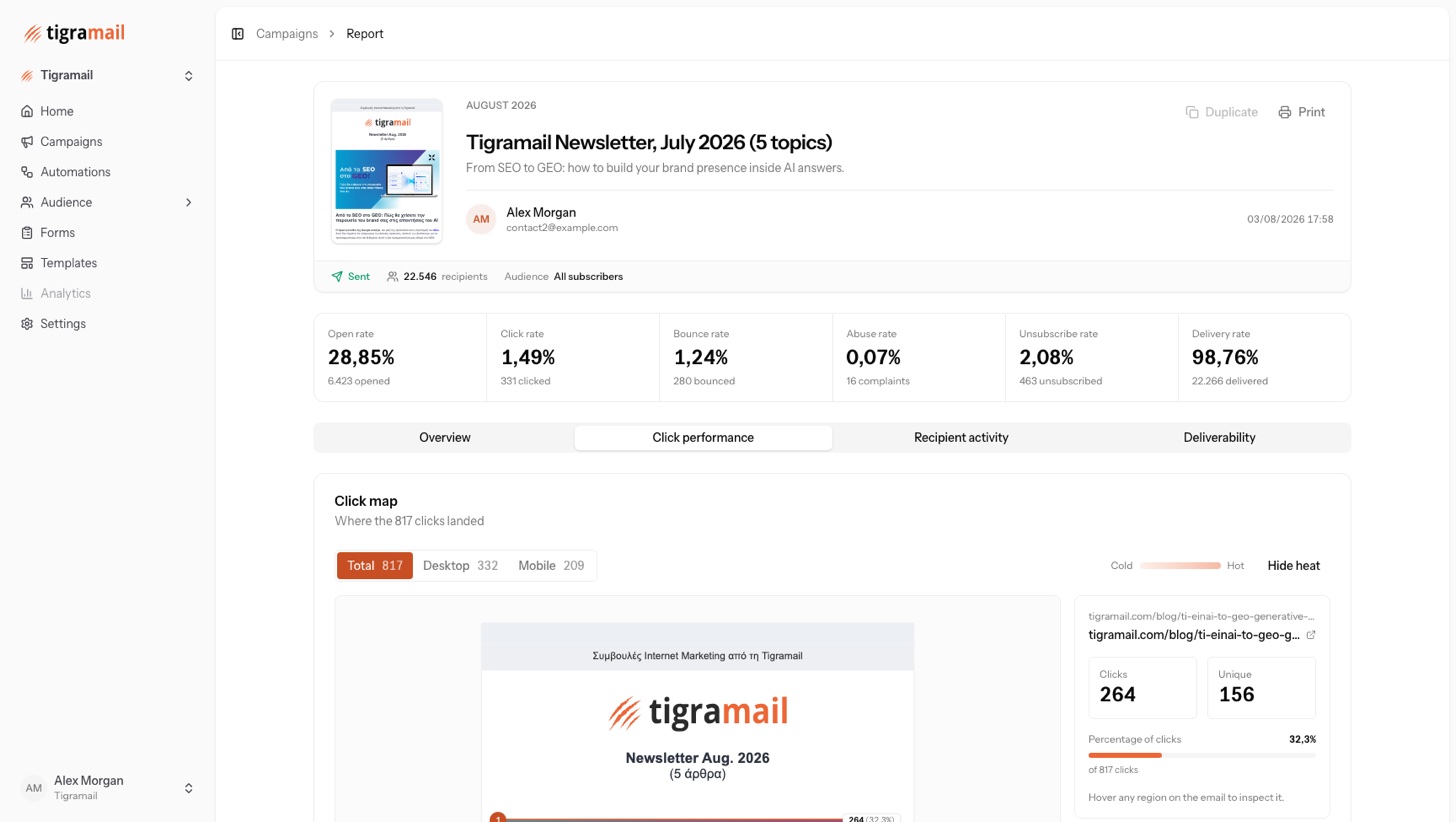
Open, click, bounce, complaint, unsubscribe and delivery rates on every campaign. A 24-hour snapshot of the first day. A click map painted straight onto the email. Recipient activity, domain by domain deliverability and print-ready reports.
04 / Audience
An audience that stays clean as it grows.
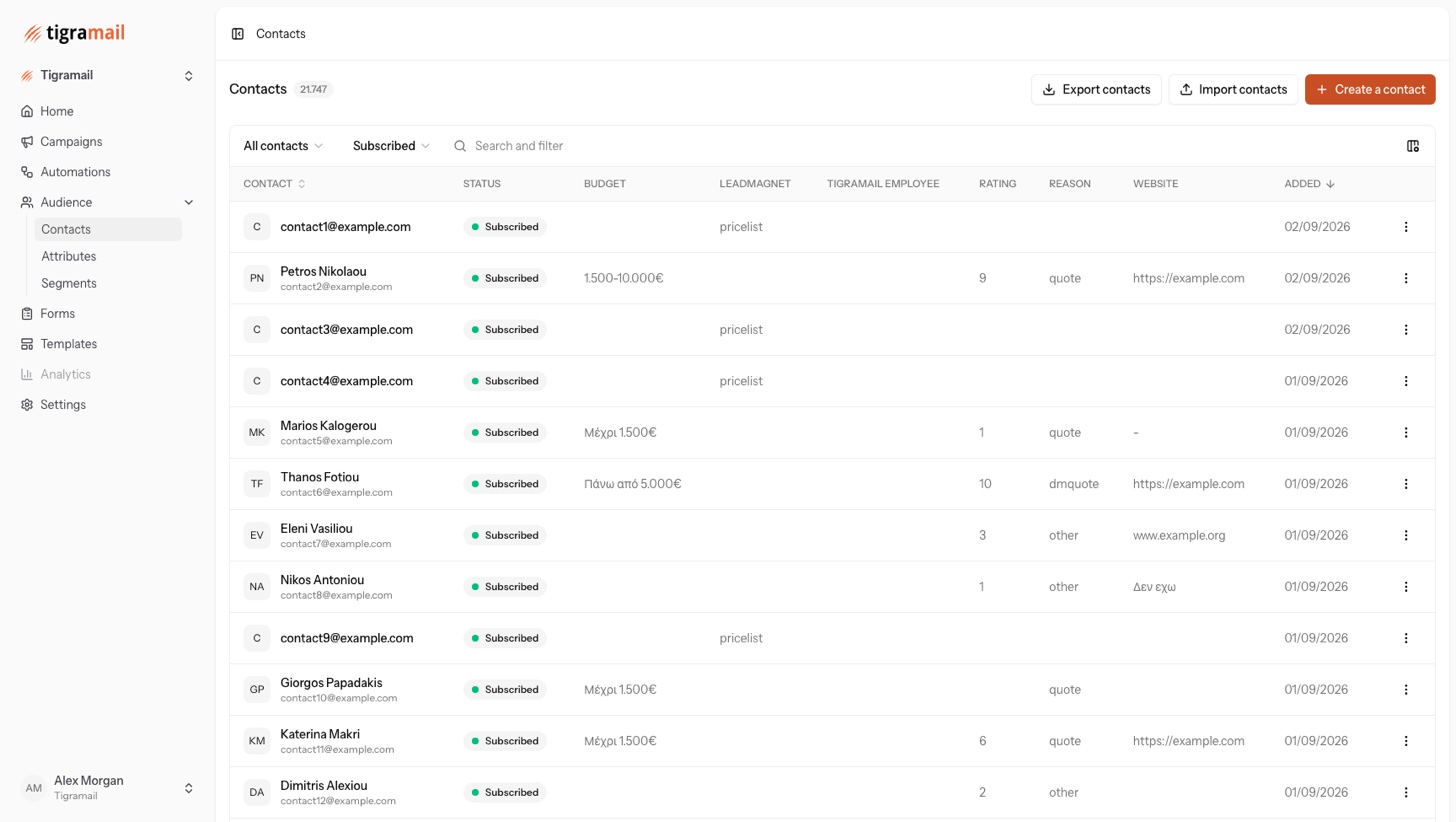
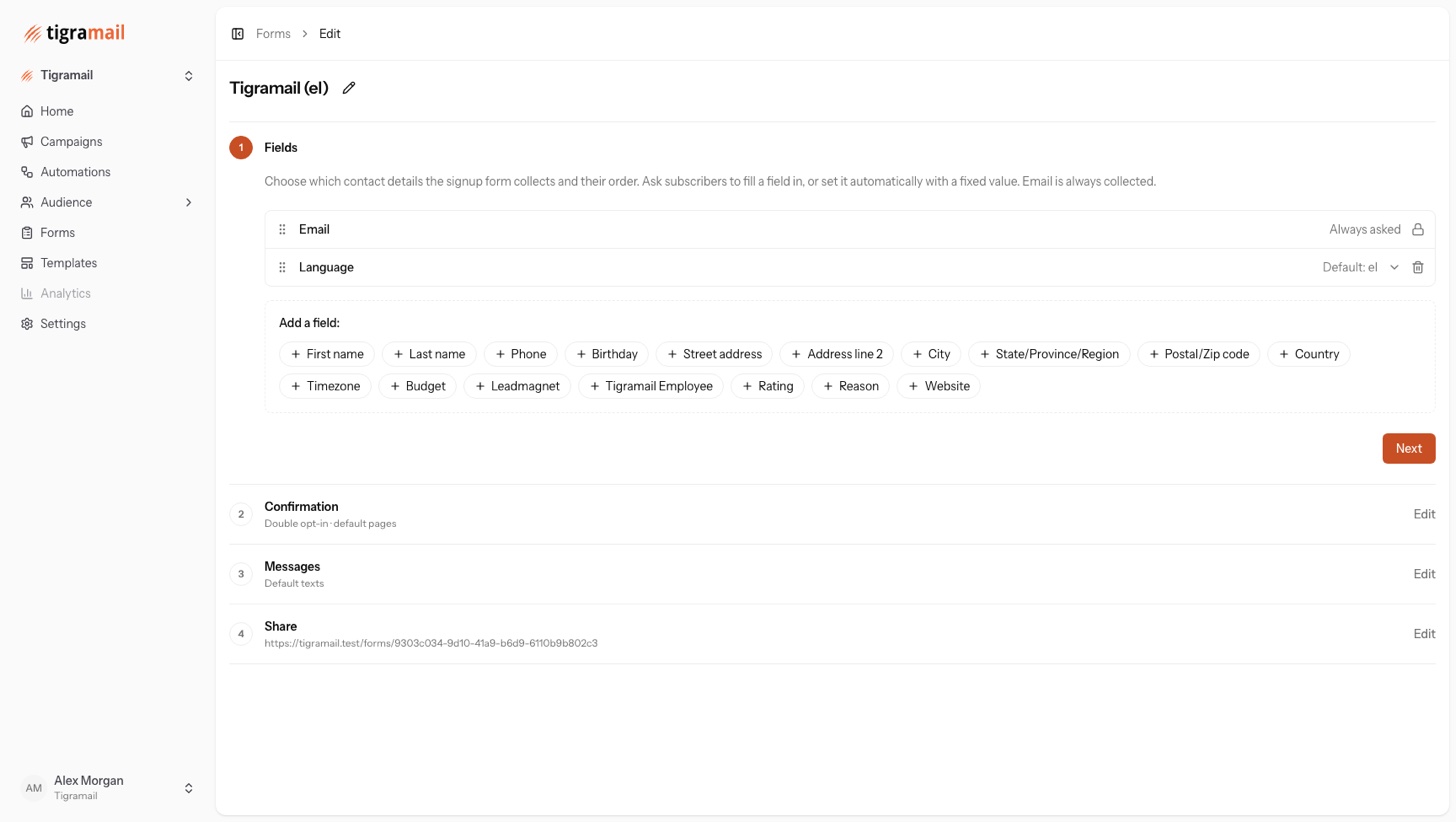
Contacts carry standard fields plus any custom attribute you define. Segments are saved condition sets that update themselves. Forms bring people in with double opt-in and a hosted page that already wears your brand.
- a.Living segments. Attributes, engagement counters, last open or click, source form or import, activity on any campaign, subscription status, timezone. With a live count before you save.
- b.Imports without the pain. Upload a CSV or paste rows. Columns are mapped for you, progress is visible, and every rejected row comes back with a reason.
- c.Forms with consent built in. Choose the fields, set the confirmation flow, share as a page, QR code or embed.
- d.One profile per person. Attributes, status and the full history of what they received, opened and clicked.
05 / Deliver
Your domain. Your reputation. Protected.
Every organization gets its own isolated tenant on Amazon SES. You verify your domain once with guided DKIM, SPF and DMARC records, and Tigramail keeps watching the signals that decide whether you reach the inbox.
- a.Bounces and complaints handled automatically. Hard bounces and abuse reports go straight to a suppression list. Nobody gets mailed twice by mistake.
- b.One-click unsubscribe. RFC 8058 list-unsubscribe headers, an undo for accidental clicks, and a web copy of every send.
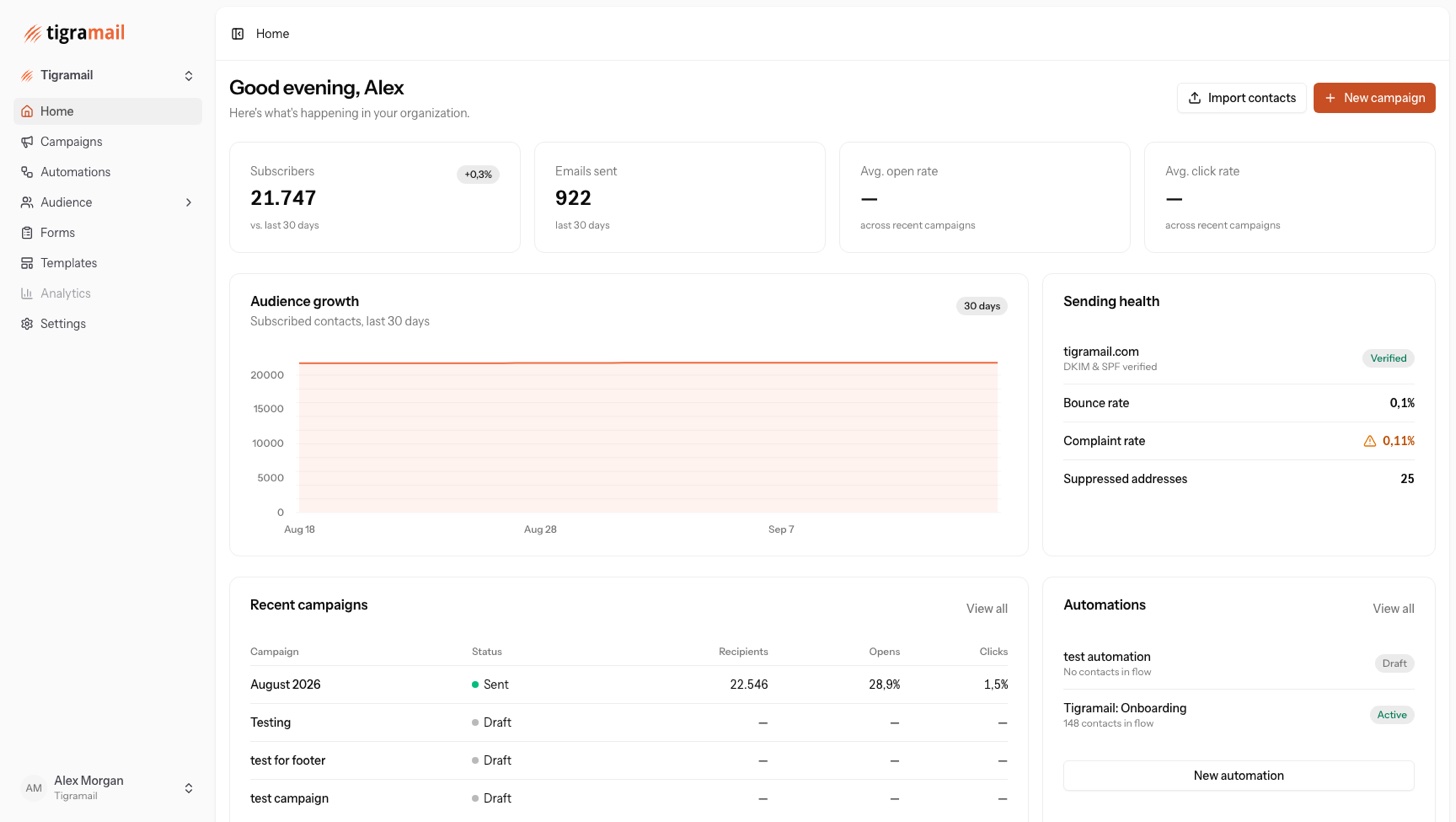
- c.Sending health on the home screen. Bounce rate, complaint rate and suppressed addresses, always visible.
Drag-and-drop editor
Twelve block types, four-column layouts, MJML output.
Brand kit detection
Logos, colours, fonts and social links pulled from your site.
AI image and text studio
Generate, remove backgrounds, search stock, rewrite copy.
Templates
Save any design and start the next one from a gallery.
Campaign scheduling
Draft, schedule, send. Readiness checks before it goes.
Visual automations
Five triggers, seven step types, per-step counters.
Living segments
Fifteen operators across attributes, engagement and activity.
Custom attributes
Text, number, date and choice fields, usable everywhere.
CSV and paste import
Assisted mapping, progress screen, per-row error report.
Hosted signup forms
Double opt-in, custom fields, page, QR code or embed.
Click maps and reports
Six rates, 24-hour snapshot, per-link and per-domain views.
Sending domains
Guided DKIM, SPF and DMARC. Isolated SES tenant per organization.
Suppression and consent
Automatic bounce and complaint handling, one-click unsubscribe.
REST API
Contacts, upserts, subscribe and unsubscribe. Tokens with read or write scope.
Teams and security
Owner, admin and member roles. Two-factor, passkeys, Google sign-in.
Ready when you are
Send something worth opening.
Tigramail workspaces are by invitation. Ask the owner of your organization to invite you, or sign in with Google if you already belong to one.